
Docs / AmbiBack web interface
AmbiBack web interface
AmbiBack UI is the new web interface for AmbiBack devices, built with React and Vite. It runs as a standalone web app in the browser, talks to the API of the AmbiBack firmware over the network and is the full-control view inside AmbiBack Manager.
Status: the production build works and is published to GitHub Pages automatically on every change; free software under the GPL 3. The migrated state has not yet been tested with a real device. There is no product support.
Open it
Open the web interfaceSource code
Select a device in the app (Discover searches your network) or pass its address directly, for example https://ambiback.github.io/ambiback-ui/?device=192.168.0.50. Paired devices need their device key for protected actions. It is shown in AmbiBack Manager and entered on the System page; inside the Manager the app passes it on automatically.
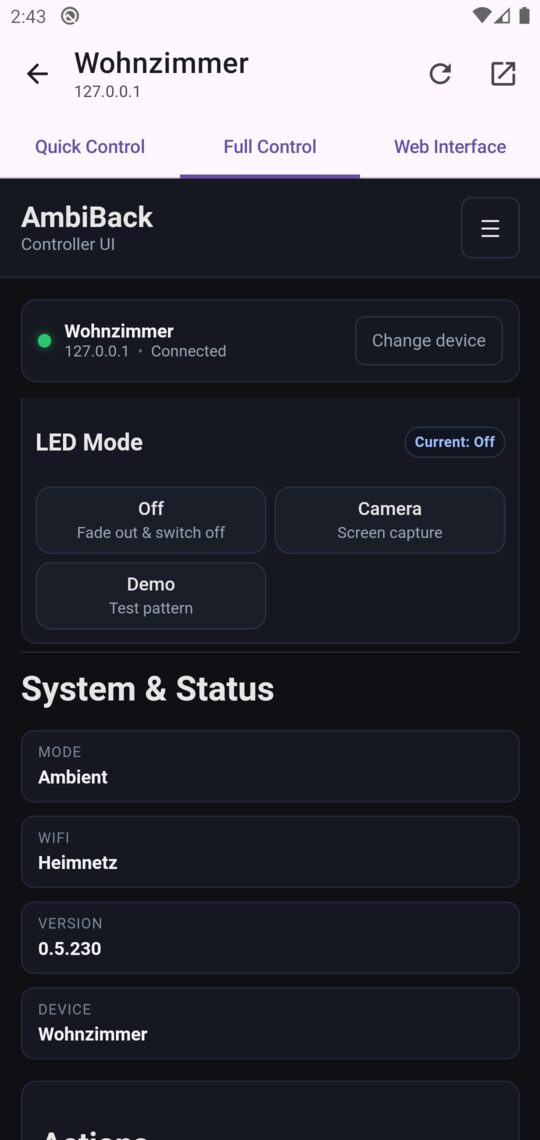
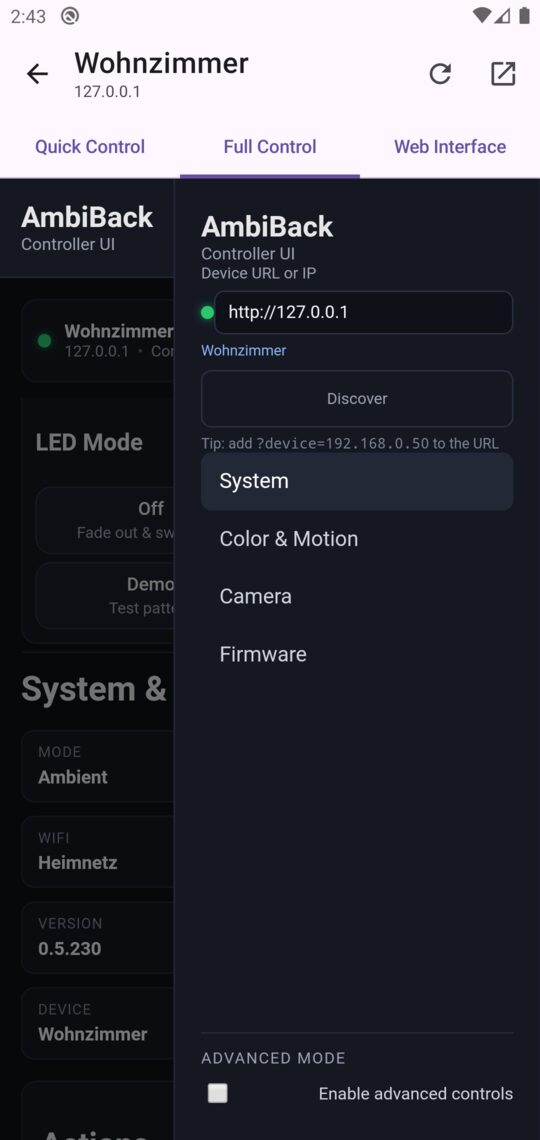
The screenshots come from an Android emulator with a simulated controller.
Sections
The interface only shows the pages the connected device supports. Advanced Mode reveals extra settings.
| System | LED mode, status, device info and settings, actions, Wi-Fi direct AP, debug and relay settings, device key |
|---|---|
| Color & Motion | manual colour, presets, colour calibration, colour boost, brightness and motion |
| LED Setup | LED layout |
| Camera | white balance, general camera and developer options (AmbiBack CAM) |
| Hue | Hue Bridge and Hue lights; firmware Hue errors also show in the status |
| DreamScreen | DreamScreen controls and joining the network (guide) |
| Ambient | scenes with brightness, speed and intensity, plus health scenes |
| Firmware | automatic and manual firmware update |
What's new
- Firmware Hue errors appear on the Hue page and in the status (25 November 2026).
- The interface also runs in older Android WebViews, as often installed on Android 8 to 10 (24 November 2026).
- Support for device keys of paired devices (23 November 2026).
Build it yourself
You need Node.js 20 or newer. npm ci and npm run dev start a development version, npm run build creates the production version in dist/. A local proxy reaches a real device; details in the README.